Write the release notes
- Read the merged PRs
- Group them by feature
- Post them in #eng
MTaught by Maya
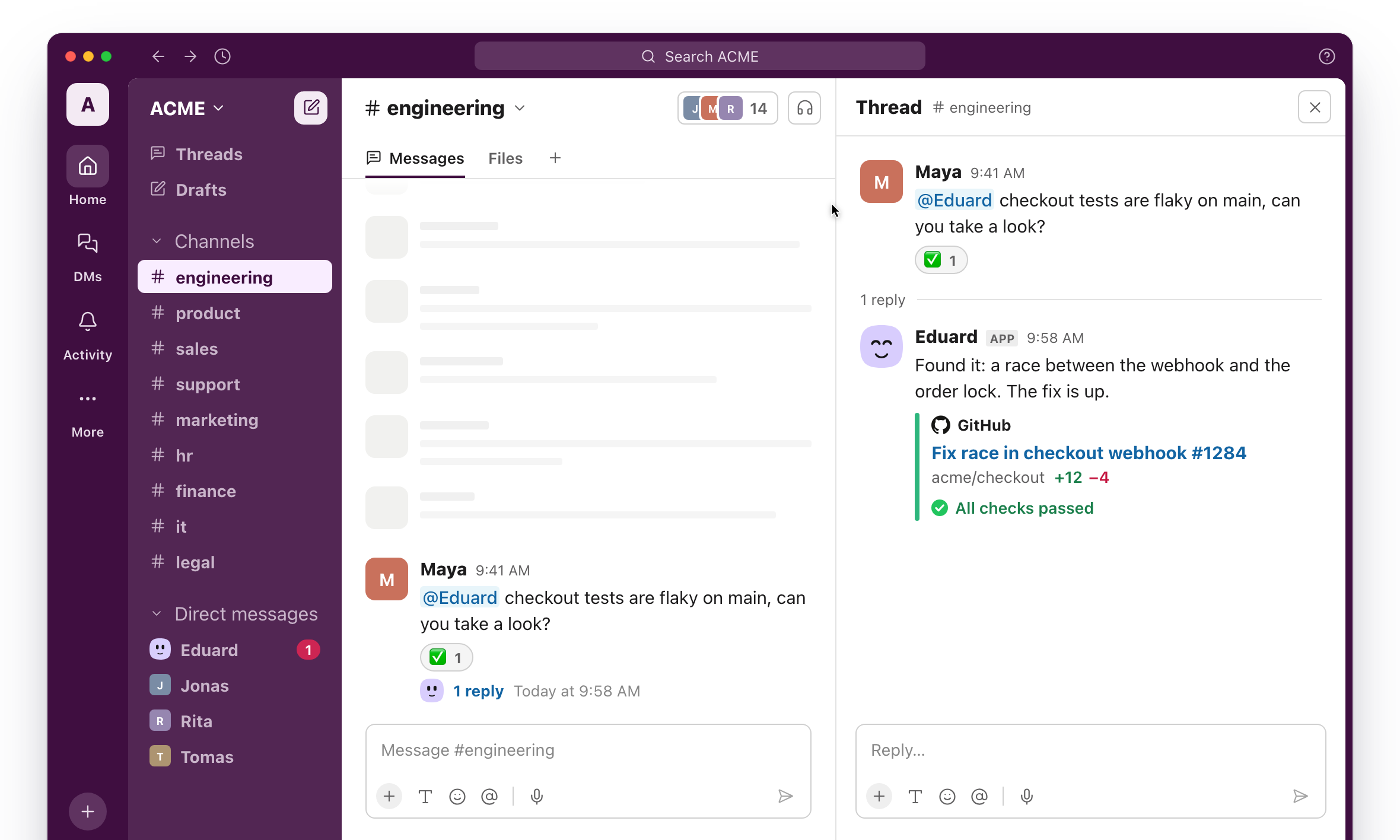
Mention @Eduard like any coworker. He knows the context of your company or project, acts on his own, suggests what to take on next, and learns from your whole team.
Ask him for something, put work on a schedule, or let him notice what needs doing.
Reproduces each new error on his computer, finds the commit behind it and files an issue with the fix he suggests.


 On his own
Mention him on a PR and he reads it, runs the tests and points out bugs and missing cases.
When asked
Turns the week's merged PRs into release notes and posts them in #eng every Friday.

 On a schedule
Opens a PR for each outdated package every week, with its changelog and the tests passing.
On a schedule
Checks for new errors after each release and tells its author in Slack if something broke.
On his own
Answers how a part of the codebase works, with links to the files and PRs behind it.
When asked
Groups the week's requests into themes and links each to the issue it belongs to.

 On a schedule
Turns a thread or a call's notes into a spec, with the open questions for the team.
When asked
Notices issues that slipped past their cycle and asks their owners for an update.
On his own
Pulls the quotes, problems and requests out of each interview into your research doc.
 When asked
Shares what shipped, what slipped and what's next in #product every Friday.
On a schedule
Compares the Figma file with the spec and lists the gaps before handoff.
 When asked
Sends a brief on the account and its open deals an hour before each meeting.


 On a schedule
Logs notes and next steps after each call and moves the deal to the right stage.
On his own
Posts the deals that moved or stalled this week in #sales every Monday.
 On a schedule
Drafts a follow-up with the recap and next steps right after each demo.
On his own
Looks up each new lead's company, role and recent news and adds it to the CRM.
On his own
Fills them in from your past answers and flags the questions he can't answer.
 When asked
Drafts an answer to each new ticket from your docs and past replies, ready for an agent to send.
On his own
Spots tickets about the same bug and files one issue that lists every affected customer.
On his own
Shares ticket volume, the top issues and the slowest replies in #support every Monday.
 On a schedule
Notices questions your docs don't answer and drafts the missing articles.
On his own
Checks a customer's plan, invoices and recent errors before you reply.
 When asked
Tells every customer who asked for a fix or a feature once it ships.
On his own
Writes the blog post, changelog entry and social posts for a release from its PRs and spec.
When asked
Puts the week's signups and leads in one sheet, with what changed since last week.
On a schedule
Finds docs and pages that describe features you've changed and drafts the updates.
On his own
Drafts the monthly newsletter from what shipped and what the team wrote.
On a schedule
Drafts a case study from a customer call and the account's results.
When asked
Checks competitors' sites and changelogs and posts what's new in #marketing every week.
On a schedule
Creates their onboarding checklist, shares the right docs and answers their first-week questions.
 When asked
Sums up each new application against the role's must-haves for the hiring manager.
On his own
Finds a time that works for the whole panel and sends the invites.
When asked
Answers questions about leave, expenses and benefits from your handbook.
When asked
Collects each person's goals, work and peer notes before reviews start.
On a schedule
Posts who's out next week in each team's channel every Friday.
On a schedule
Matches payouts to invoices and lists anything that doesn't add up.
On a schedule
Sends polite reminders for invoices past due and tells you who still hasn't paid.
On his own
Finds card charges without a receipt and reminds the people who made them.
On his own
Compares each team's spend with its budget and flags anything off track.
On a schedule
Pulls MRR, churn or a customer's billing history when someone asks.
When asked
Fills in the metrics sheet every Monday and posts what changed.
On a schedule
Walks people through VPN, laptop and account problems from your IT docs.
When asked
Collects requests for tools, gets the owner's approval and logs who has what.
 When asked
Lists every tool a leaver can access and checks each account is closed.
When asked
Lists seats nobody used last month and suggests which to cancel.
On a schedule
Spots files shared publicly or outside the company and asks their owners about them.
On his own
Keeps the list of tools and contracts current and warns a month before each renewal.
On his own
Compares a contract with your standard terms and lists every clause that differs.
 When asked
Fills in your NDA template for a new partner, ready for you to review and send.
When asked
Logs every signed agreement with its parties, dates and key terms.
On his own
Warns ahead of renewals, notice periods and filing deadlines.
On his own
Reviews pages and posts before they go out for claims you can't back up.
When asked
Answers from your policies and past agreements, and says when to ask a lawyer.
When asked
His own computer, the apps your team already uses, and the places you already talk. Connect an app once for everyone, or just for yourself.
SlackGitHubLinearGmailGoogle DriveGoogle SheetsNotion JiraHubSpotStripeIntercomSalesforceZendeskFigmaAsanaAirtableExcelWordIntercom and turn the top three into Linear issuesExcel export into a one-page Word summary for the boardStripe in #growthGitHub and nudge their authors in SlackNotion with what shipped this week
Team
$20per organization / month
They're personal assistants: each person has their own, and what you teach yours stays with you. Eduard is one coworker for the whole company. He works in your shared channels, suggests work and follows through on it, and remembers what the team teaches him.
He suggests initiatives and starts one only after someone approves it. Sensitive actions need an approval every time.
From what happened since yesterday in the channels, repositories and Linear teams he's part of, and from what your team has taught him matters.
Research, reports, spreadsheets and documents across your apps, bug fixes and pull requests, code review, issue triage, and anything that should happen every week.
No. He starts with Slack alone, you connect apps one at a time, and the accounts you connect yourself are used only in your own DMs.
Uninstall him from the web app. Deleting your workspace removes him everywhere, disconnects every account and deletes what he learned.
Add him where your team works, and tomorrow morning he'll have his first suggestions.
Hire Eduard for your team